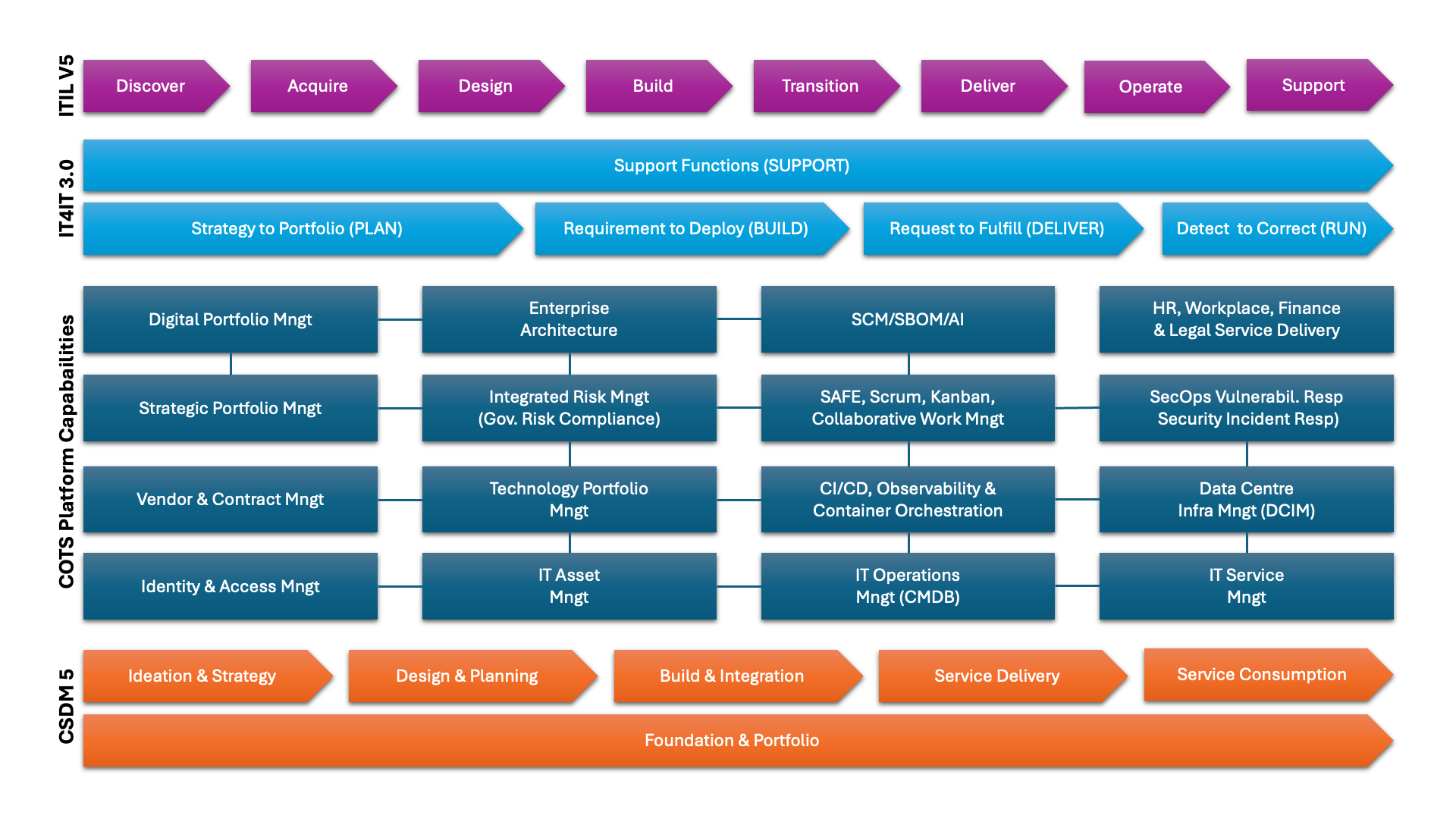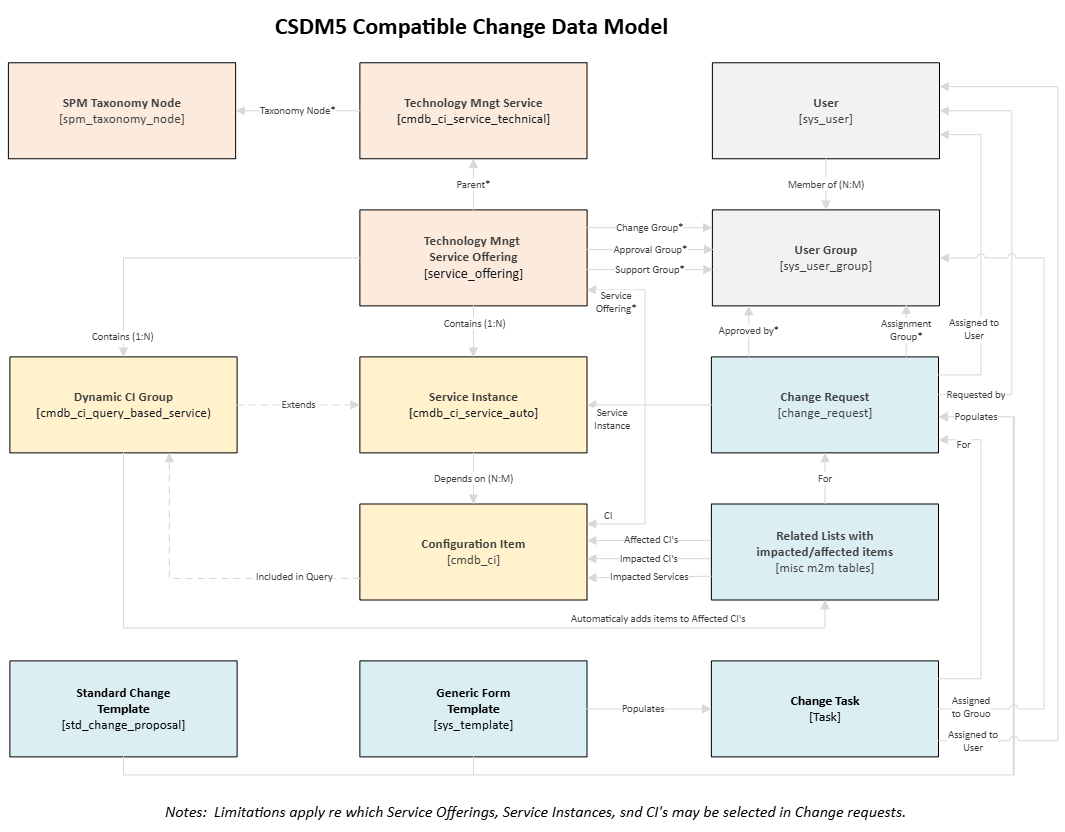
ServiceNows’ Out-of-the-Box Change Management process, as included in the Zurich release, is a variant of ITIL V3.. This article details how to configure the Change Process to work seamlessly with DevSecOps, leveraging the recommended CSDM5 relationships. Afterward, Users don’t have to be data analysts to use the CSDM data within change management as intended. Users can only select Services, Offerings, Instances, and CIs that are in scope of Change Mngt, ensuring that the Change Mngt process manages and communicates only relevant changes
The recommended configuration assumes the following:
- The Business and IT Architecture is defined and governed by Architects and Business Analysts.
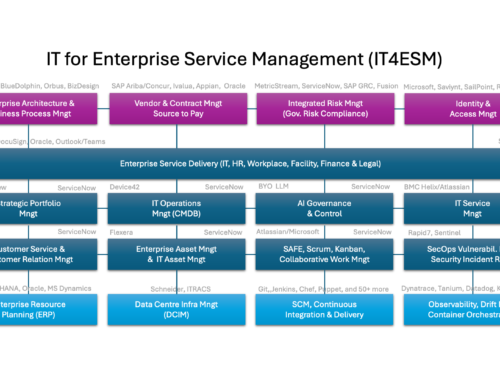
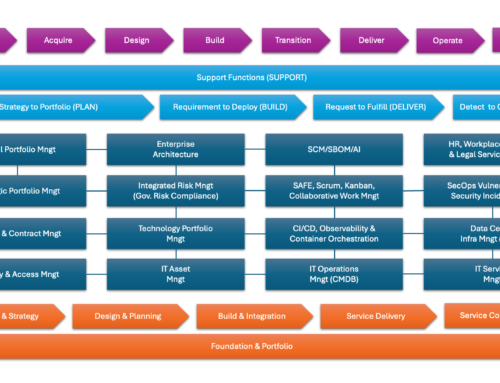
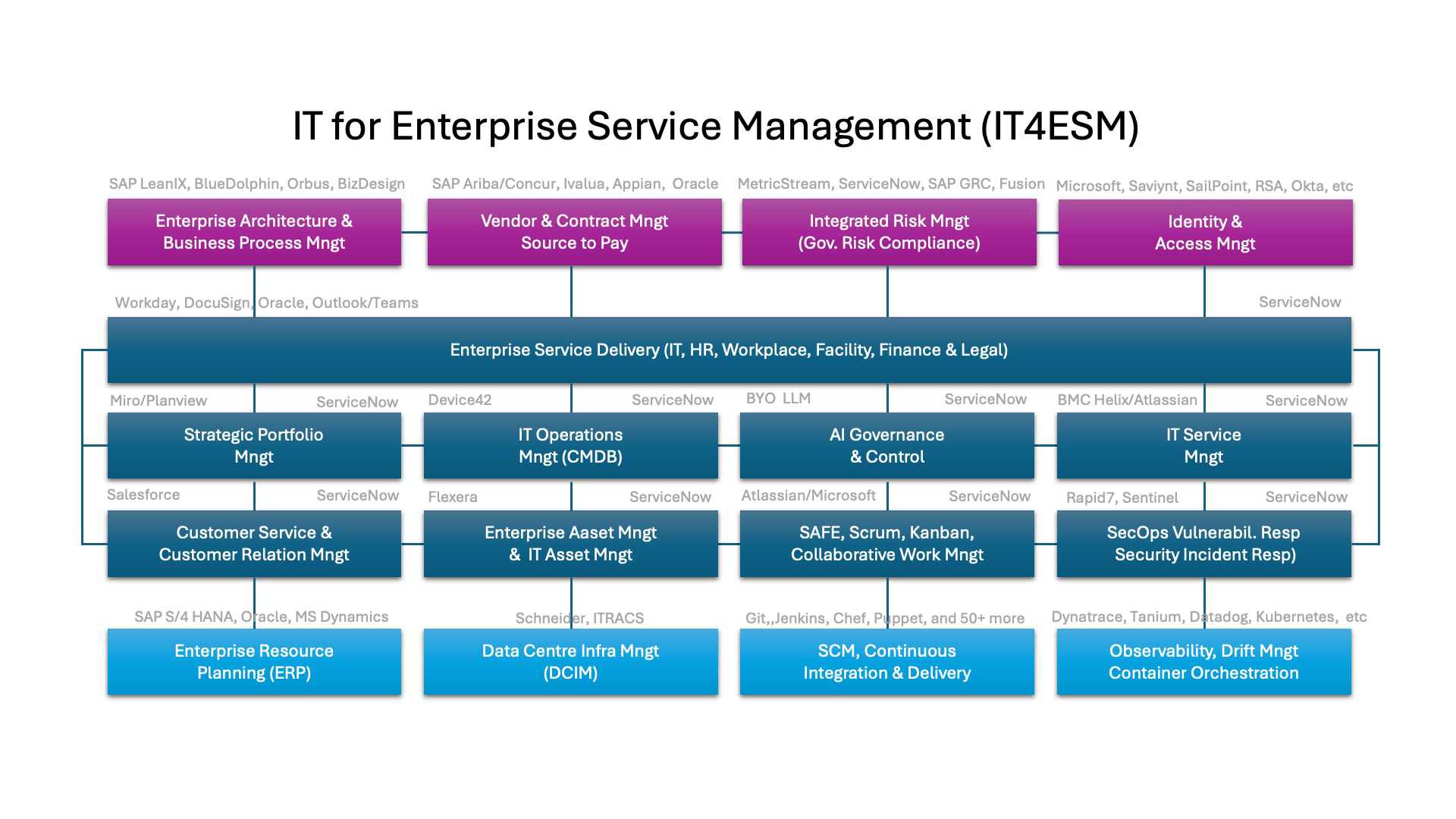
- The company leverages Agile DevSecOps practices to build solutions, uses SCM tools to register (versioned) code, and uses CI/CD pipelines to integrate and deploy them.
- The DevSecOps team uses multiple tools to observe and orchestrate runtime environments and detect vulnerabilities and breaches.
- The Applications and Infrastructure are provided as a service. The Services, Service Offerings, and Service Instances are recorded via Digital Portfolio Management
- The whereabouts and status of the physical assets that are procured, received, stored, installed, or phased out are recorded via Asset Management
- Stable Configuration Items are discovered and federated daily. Inventory and updates are automatically recorded in the Zero-touch CMDB.
- Service degradations (reported or detected) are resolved and communicated. Requests are fulfilled. Support and knowledge are provided.
The company wants to use Change Management to manage/control the risks and impact of releasing increments to production by Service Providers or Vendors.
The Change Management process starts with a request to release potential increments. Change is closed when the increment is confirmed to be operational in production.
Some things are slightly different compared to the ITIL3/4 practice:
- A change request may be raised via DevSecOps tools rather than directly by human requesters.
- Some of what is released to production via CI/CD tools no longer needs change approval.
Such a release still must be recorded (as a Standard change) for visibility reasons - An orchestrated update of the configuration is no longer governed by change management
- DevSecOps tools may request if the requested release to production is approved.
- The update of CMDB, Asset, or Portfolio item is not (or no longer) triggered/managed by a Change.
- The changes discovered in the infrastructure may be used to verify whether the Change was successful. released.
Out of the Box, one can raise a change request, relate it to a Service, a Service Offering, and a CI, and assign it to any assignment group. The relations between CSDM artefacts are neither verified nor enforced. There are no limitations on which items can be associated with a change. It is recommended to configure a couple of changes so that:
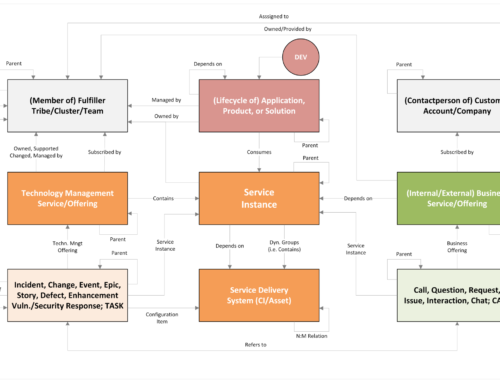
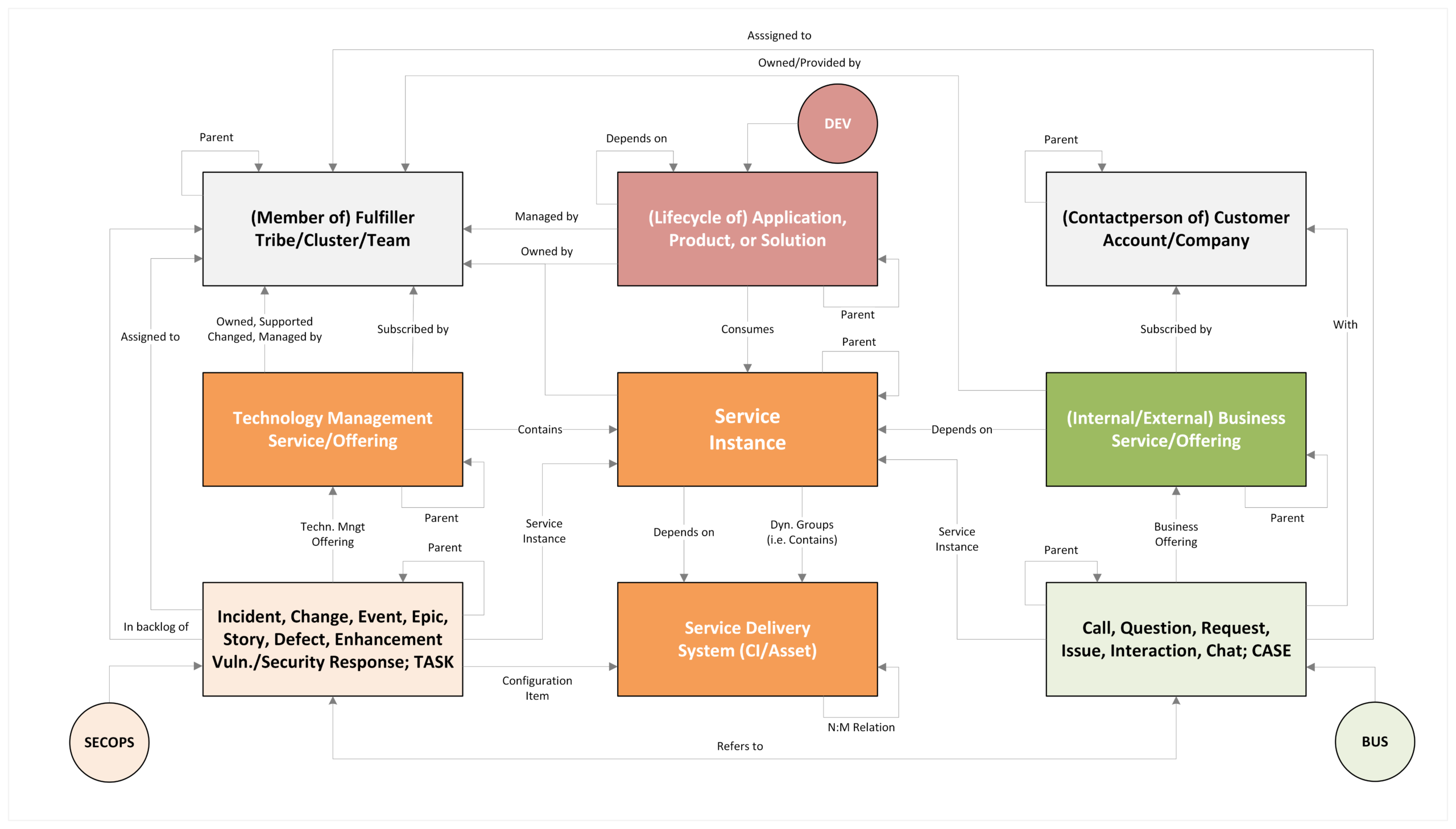
Changes must (mandatory) be related to a Service Offering. The (initial) Assignment group, Approval Group, and Technical Mgmt Service are derived from the Service Offering. Some may want to show the historical relationship between the Offering and its Parent Service (by populating the service attribute in the change); others may want to show the relationship with its current parent Service (by displaying the current parent of the offering on the form). Companies with hundreds of Service Offerings and that don’t use subscriptions risk users being unable to easily find/select the correct offering. For them, a small customisation is recommended so that, when choosing a service offering, users can type in a portion of the name of the service or a portion of the name of the taxonomy node and easily select the appropriate offering. E.g., when the user types “*server”, all nodes, services, and service offerings are shown that contain “server” in their name.
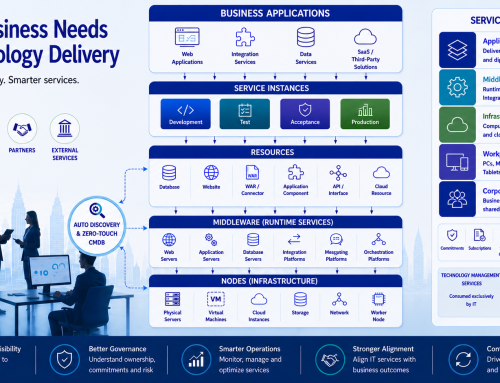
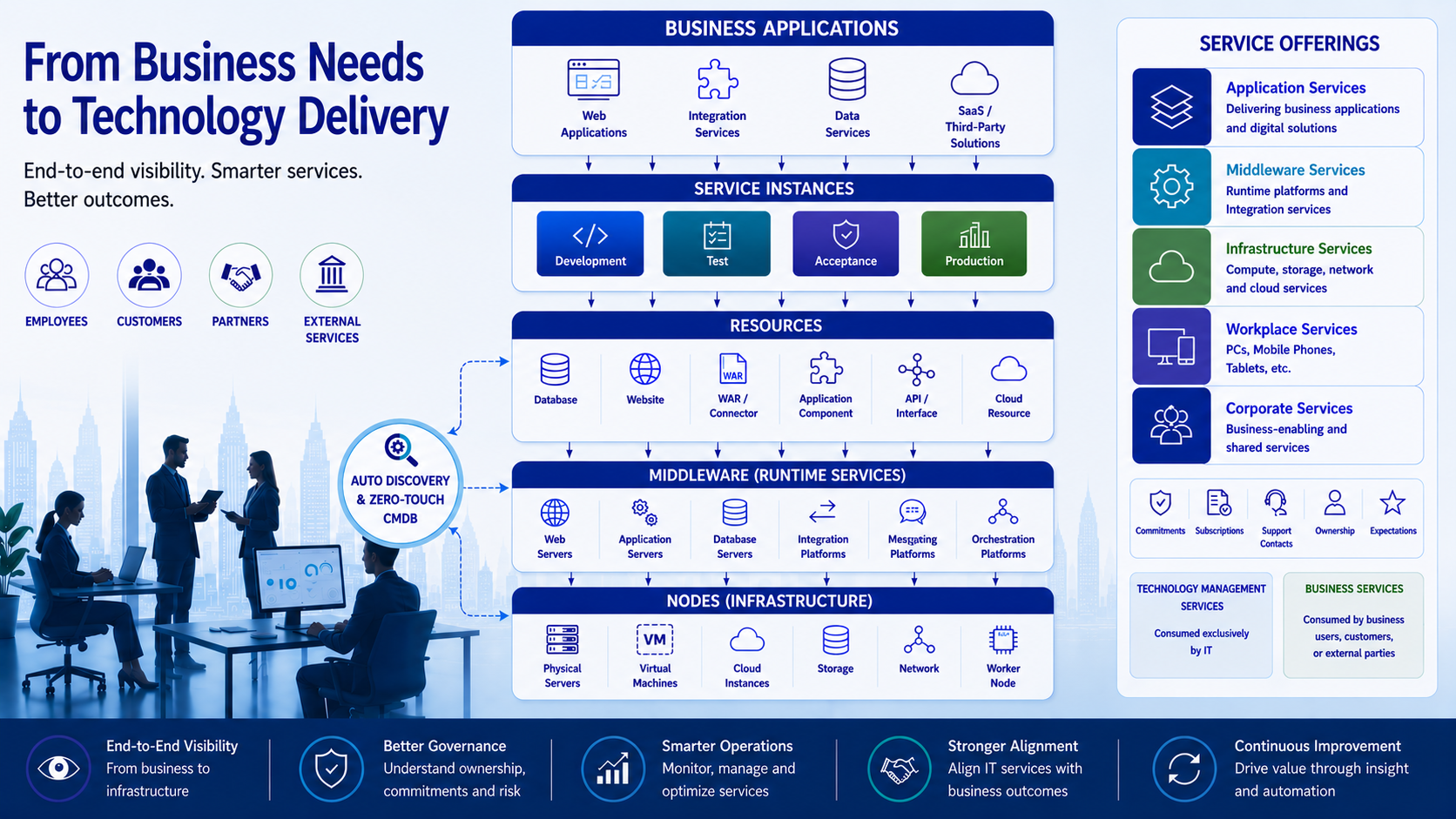
I typically advise those who use CSDM5 to create product-agnostic Technology Mgmt Services, one or more product-specific Service Offerings per Service, and one or more product & environment-specific Service Instances per Service Offering. The Service Instances may be related to the Configuration items on which they depend. Technically, it is possible to query which production Service Instances are contained by the Service Offerings, and which Configuration items are related to those Service Instances.
Nowadays, I recommend registering the Impacted Production Service Instance in a custom attribute on the Change record. This is particularly useful when multiple production instances of the same product run independently. SAAS instances typically do not depend on the company’s CI stacks. If a company has separate SAAS instances of the same SAAS product, the only thing that differentiates them is the Service Instances. Another positive side effect is that, within the same change attribute, one can register a Dynamic CI Group that is contained by the Service Offering (Dynamic CI Group records are also visible in the Service Instance table). If the user selects a dynamic CI group, that CI Group is the selected CI, and the user should not be able to select another CI. The CIs in the Group will automatically be added to the related list on the change form, which lists the affected CIs.
If the Service Instance attribute is populated with a Production Service Instance, users can select the CIs on which the Instance depends, even when the CI was discovered without reference to its role or environment. I.e., if someone links a Server to a Production Service Instance, one may raise a change on that Server. If that server is not associated with a production service instance, you cannot raise a change on it via a Service Instance.
If the Service Instance attribute is left empty, one may select a CI that is not directly related to a Service Instance, but that is relevant to the selected service offering. For example, if a change is raised for the Service Offering “Windows Server”, the user should be able to select any non-retired record in the Windows Server class/table. Ideally, one can select only the CIs used for production. That said, there are network and storage CIs used for both Development, Test, Acceptance, and Production, it must be possible to raise changes on those CI’s, so that potential production impact may be identified If the company has many offerings that do not include service instances or Dynamic CI Groups, it is a good idea to register/maintain the CI Filter condition in the Service Offering Record.
By defining subscriptions for relevant Service offerings, one can ensure that only authorised persons can raise changes to those Service offerings and their associated Service Instances, Dynamic CI Groups, and related CIs.
By allowing changes only to configuration items directly related to production service instances, the company can promote data-driven uniformity and consistency across the Enterprise. By selecting similar CIs, impact analysis and reporting are significantly simplified, and CABs can better understand the decisions they are making.
CMDB will contain fine-grained CIs such as Websites, Database Tables, Installed Software, TCP Ports, and dependencies between these items. This data will also be used by automated risk/impact analysis and is available to NOW Assist (AI), whilst not overcomplicating the change process.
Ideally, relevant CI’s are automatically related to the Service Instances that depend on them. This can be done by automatically identifying dependencies between CI’s. For example, if a website uses data in a Database, the service instance linked to the website is likely also dependent on that Database. Some companies will relate only the servers to the service instances; others will relate the key CIs on those servers to the service instances; still others will do both. The concept herein is technically agnostic to what companies relate to their Service Instances. That said, for numerous reasons, it is recommended to relate no more than 8 CI’s per Service Instance.
Change Verification
Once a change is deployed, it must be verified that it was deployed correctly before the change can be closed. Some companies use Agent Client Collectors to discover what is running in real time, so they can instantly see whether the change was deployed correctly. Other companies only discover their infrastructure once per day and wait until the next day to verify the change using CMDB data, before the change is closed. Others will manually verify that the change has been deployed correctly before closing it. Each method has its pros and cons. From a business and risk point of view. It is probably wise to verify business functionality immediately after deploying the change and to update the CMDB via discovery later. Those who can may want to run/trigger an ad hoc discovery on items related to the change immediately after the change window closes.
I.e., it’s not that the CMDB isn’t updated via a Change; it’s simply done via a more modern method that delivers a consistent outcome.